
Step 1 – Download your CRL HeatSage App
Download the app by searching for ‘HeatSage’ on the App Store for Apple iOS, or the Google Play Store for Android.
Step 2 – Sign up to your CRL HeatSage App
Upon opening the CRL Heatsage App for the first time, you will need to select Sign Up:
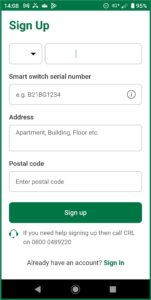
To complete the Sign Up process, you will need the serial number from the HeatSage load switch located on your meter board.
The serial number can be found on the front of the load switch beneath the barcode (see red circle in the image below).
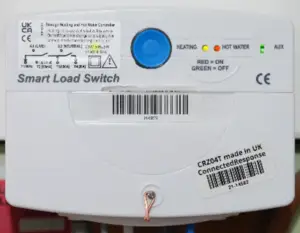
The HeatSage load switch serial number may be alphanumerical (i.e. contains both letters and numers), for example BG21BG1234, or simply numerical, for example 2101234.
Enter the full serial number into the Sign Up form.
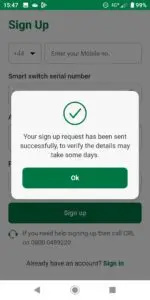
Once the form has been completed, click on the Sign Up button. You will see the following message:
Step 3 – Verification and confirmation
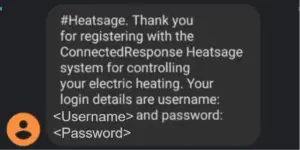
Once your application has been verified by the Connected Response team, you will receive a confirmation SMS (text message) to your mobile phone containing your username and password:
Step 4 – Activating your CRL Heatsage App
Once the Sign Up process has been completed, and you have received your Username and Password, you can activate your CRL HeatSage App.
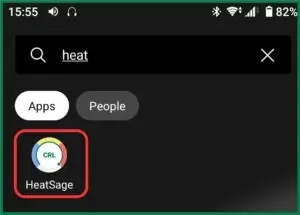
Search your installed Apps for ‘HeatSage’. It will appear on your screen as below:
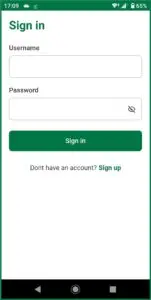
When you open the CRL HeatSage App, you will see the following ‘Sign In’ page. You will need to enter the Username and Password previously sent to you (see Step 3 above).
Step 5 – Using your CRL HeatSage App
For guidance on how to use your CRL HeatSage App click here.